
Table of Contents
What Is Wave Accounting?
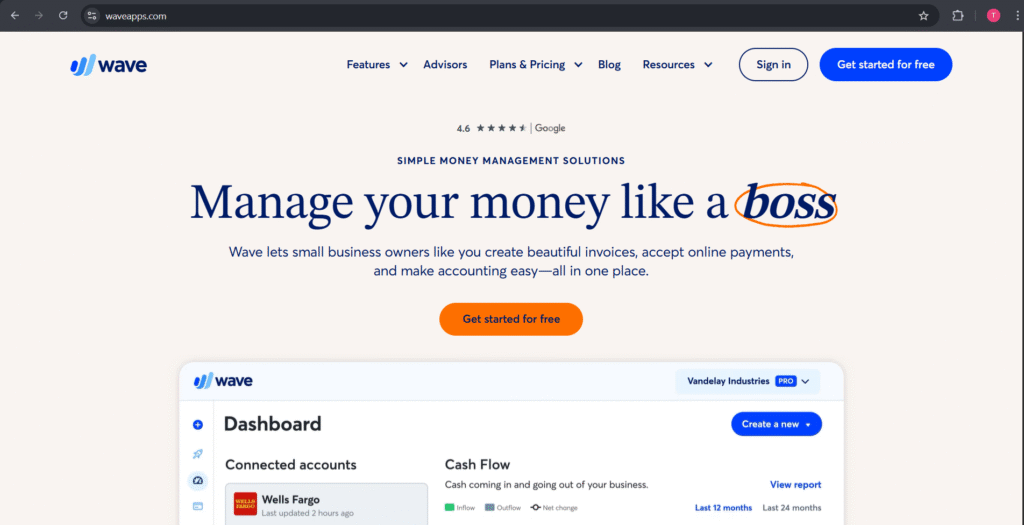
Wave Accounting is a free, cloud-based accounting application designed for freelancers, entrepreneurs, and small businesses to manage their finances. Wave was created with the purpose of simplifying bookkeeping and offers the elements of bookkeeping, which include tracking income and expenses, invoicing, receipt scanning, and financial reporting, from one easy dashboard.
This Company stands apart from many of its paid competitors, as most of its key features or functionality is free to its users, which makes it a great tool for small businesses that want valuable accounting software with no subscription costs. Within Wave Accounting, users can link their bank accounts, have their transactions automatically categorized, and create a report within just a few clicks – either a profit and loss report or a balance sheet report.
In summary, This Company allows small business owners to stay informed about their business finances, simplify their bookkeeping function, and even help them make better financial decisions – all while saving them money. Wave Accounting’s functionality and user-friendly interface, along with its built-in automation, made it one of the most used accounting tools for small businesses in 2025.
Key Features of Wave Accounting in 2025
This Company remains an excellent option in 2025 for free accounting software for small businesses, freelancers and startups. Despite being free, Wave also comes with some great features that make it easy to manage your money. Here are some of the best Wave Accounting features that make it a great option in the accounting software realm.
Automated Bookkeeping
This Company connects to all your bank accounts and credit cards to automatically track income and expenses. You do not have to spend time on manual data entry, plus it reduces potential mistakes.
Professional Invoicing
This Company allows you to create unlimited professional invoices for free, send, and even customize templates, set up recurring invoices, and turn on automatic payment reminders.
Receipt and Expense Management
With the receipt scanner, users can take pictures of receipts with the mobile app. The expenses are then categorized automatically so you have transparency on where your money is going each month.
Reports & Financial Insights
Contextually essential reports, such as profit and loss, cash flow, and balance sheet reports, mean small business owners can make better financial decisions about their business without having to become accounting experts.
Payroll Integration
Even though payroll comes at a cost, it syncs effortlessly with the rest of This Company’s services, allowing you to pay employees, calculate taxes, and manage direct deposits within the same interface.
Secure Cloud Storage
Every financial record is securely housed in the cloud, so all of your records are automatically backed up for access anywhere, anytime.
To summarize, This Company in 2025 is still a remarkable and easy-to-use software solution for small business owners looking for a way to efficiently manage their financial records without incurring a cost. The automated features, ease of use, and program reliability reaffirm its status as one of the best free accounting solutions available.
Wave Pricing: Is It Really Free?
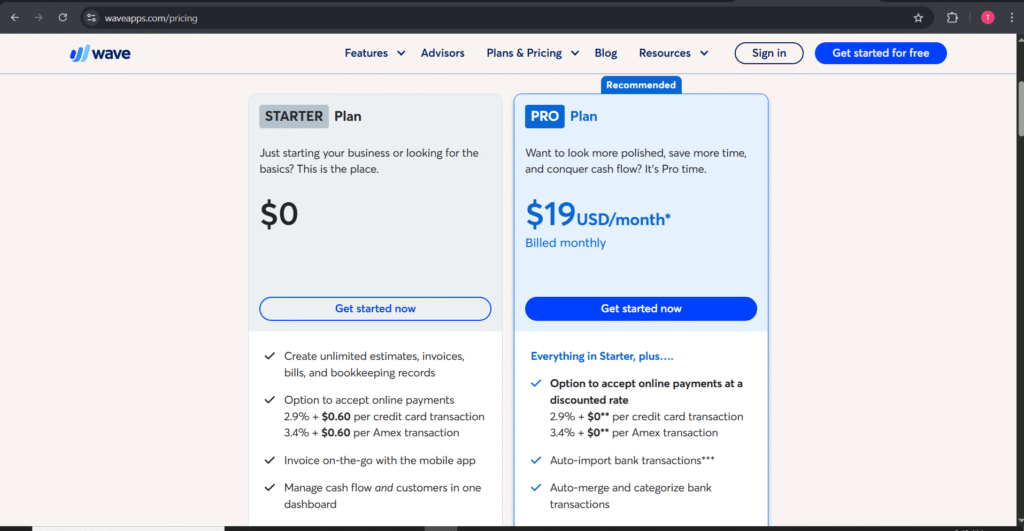
Small business owners and freelancers are often enticed by This Company because of its claim to be entirely free to use. But is it truly free? The answer is yes — for the most part. This Company has a lot to offer with its numerous accounting features that are free, but there are some optional paid products when it comes time to scale.
This Company provides access to its core features—namely invoicing, accounting, and receipt scanning—without cost, so it’s perfect for startups or solo entrepreneurs who are looking to keep track of their finances expense-free. It’s important however to note that both payroll management and advanced payment processing come at an additional cost.
Below is a breakdown of Wave’s 2025 pricing structure:
| Feature | Pricing (2025) | Included in Free Plan | Details |
|---|---|---|---|
| Accounting & Reports | Free | ✅ Yes | Full-featured accounting with double-entry bookkeeping. |
| Invoicing & Estimates | Free | ✅ Yes | Create, send, and track unlimited invoices. |
| Receipt Scanning | Free | ✅ Yes | Upload and scan receipts using the mobile app. |
| Payments (Credit Cards) | 2.9% + 60¢ per transaction | ❌ No | Pay-as-you-go for online payment processing. |
| Bank Payments (ACH) | 1% per transaction (min $1) | ❌ No | Low-cost ACH payment option. |
| Payroll | Starts at $20/month + $6 per employee | ❌ No | Includes tax filing and direct deposits. |
| Wave Advisor Support | $149 one-time setup fee | ❌ No | One-time accounting setup assistance. |
Final Thoughts on Wave Pricing
This Company truly stands out for offering free accounting software that covers most of what small businesses need. While some premium services like payroll and payment processing require additional fees, the base platform remains completely free and functional, making This Company one of the most budget-friendly solutions available in 2025.
Pros and Cons of Using Wave for Your Business
Pros
Cost – This Company’s primary draw is that bookkeeping, invoicing, and tracking expenses are done with zero cost.
User Interface – This Company has an easily navigated dashboard for users new to managing economics.
Integrated Invoice and Payment Setup – able to create an invoice, be paid, and track it all in the same place.
Basic Payroll and Expense Tracking – Can track expenses, and set payroll for a fee, which is still convenient.
Cloud-Based – As an entirely cloud-based service you can access your finances anywhere.
Cons
Fewer Advanced Features – Does not have the number of advanced reporting, inventory, and multi-currency features seen in paid-up competitors.
Payroll is Extra – While the essential bookkeeping features are free of charge, payroll comes with a fee.
Limited Support – Limited options for support would pose an issue, particularly for more challenging accounting challenges.
Not Optimized for Large Businesses – wave primarily shifts to freelancers and smaller companies, whereas larger corporations would see limited scalability.
Wave vs. Competitors
When choosing accounting software for your small business, it’s important to compare Wave with its top competitors: QuickBooks, FreshBooks, and Xero. Each platform has its own strengths and weaknesses, and understanding these differences can help you make the best choice for your business needs.
Wave stands out because it offers a free, easy-to-use accounting solution, making it ideal for freelancers, startups, and small businesses on a budget. Competitors like QuickBooks and Xero provide more advanced features but come at a higher cost, while FreshBooks is often preferred for its simple invoicing and time-tracking tools.
Here’s a comparison table to make it easier to see the differences:
| Feature / Software | Wave | QuickBooks | FreshBooks | Xero |
|---|---|---|---|---|
| Price | Free (with paid add-ons) | Paid plans from $25/month | Paid plans from $17/month | Paid plans from $13/month |
| Ease of Use | Very easy | Moderate | Very easy | Moderate |
| Invoicing | Yes | Yes | Yes | Yes |
| Expense Tracking | Yes | Yes | Limited | Yes |
| Payroll | Paid add-on | Paid add-on | Paid add-on | Paid add-on |
| Automation & Reporting | Basic | Advanced | Basic | Advanced |
| Best For | Freelancers, startups | Growing businesses | Freelancers & small teams | Small to medium businesses |
Summary:
Wave is an excellent choice if you want a free, no-frills accounting solution that covers all the essentials like invoicing, expense tracking, and basic reporting. For businesses that require advanced features, automation, or extensive integrations, QuickBooks or Xero might be better, while FreshBooks is ideal for those focused mainly on client billing and time tracking.
Overall, Wave offers a balance of simplicity and functionality that makes it a standout free option among accounting software for small businesses in 2025.
Who Should Use Wave Accounting?
Wave is designed primarily for small businesses, freelancers, and solopreneurs who need a simple, free, and effective way to manage their finances. It is ideal for entrepreneurs who want to handle accounting, invoicing, and expense tracking without paying for expensive software.
Freelancers and independent contractors benefit from Wave because it allows them to easily create professional invoices, track payments, and manage taxes. Small business owners also find Wave useful for monitoring cash flow, generating reports, and keeping financial records organized.
However, businesses that require advanced features like complex inventory management or multi-currency support may find Wave limited compared to paid alternatives. Overall, Wave is perfect for users seeking a cost-effective, easy-to-use accounting solution that covers the essentials.
Conclusion
Wave remains one of the best free accounting software options for small business, freelancers, and startups in 2025. With its intuitive interface, robust invoicing, expense tracking, and financial reporting, it is an excellent choice for a person managing their finances without a lot of money to spend.
While some advanced features of paid providers such as QuickBooks or Xero might be absent, these are somewhat irrelevant for many small business owners. For anyone looking for a basic, trustworthy, and inexpensive accounting app, Wave is still a consideration in 2025.
Overall, Wave continues to be worth considering if you want a functional, no-cost accounting tool to conduct your business finances more simply.

One Response