
Table of Contents
What Is AiPPT?
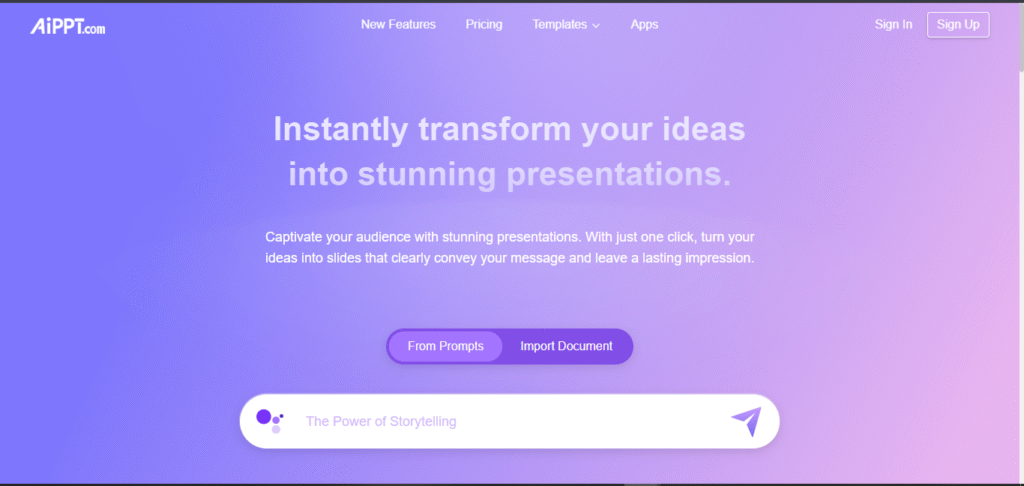
AiPPT is an advanced AI-powered presentation maker designed to help students, professionals, and businesses create high-quality slide decks in minutes. Using artificial intelligence, AiPPT automatically generates complete presentations—including titles, layouts, text content, and visuals—based on a simple prompt. This makes it an ideal tool for anyone who wants to save time, improve productivity, and produce clean, professional designs without technical skills.
As the demand for AI tools grows, AiPPT has positioned itself as a reliable solution for fast and visually appealing presentations. Whether you’re preparing school projects, business pitches, marketing slides, or training materials, the platform simplifies the entire process. With its strong features and user-friendly interface, AiPPT continues to stand out as one of the best AI presentation makers on the market today.
Key Features of AiPPT in 2025
AiPPT boasts impressive features that make it an excellent option for those looking to generate presentations quickly and seamlessly. Here are its key features (2025):
One-Click Slide Generation
This platform can instantly turn text, documents (e.g. Word, PDF), or even a web URL into a professional-quality presentation. Just one click and the AI has designed a complete slide deck with styled layout, images and charts.
Smart Outline Generation
The AI outline generator can take your ideas and turn them into a proper slide deck with structure and organization.
AiPPT
Massive Library of Templates
This platform gives you access to 100,000+ presentation templates in every style from business reports, to education and creative decks.
Flexible Input Types
You’re not constrained to typing as This platform allows you to input content from chat, upload files (Word, TXT, PDF), as well as web URLs.
AI Digital Box
Cross-Platform Support and Export Formats
Presentations can be edited in the browser and exported to PPTX, PDF, PNG, or JPEG for easy sharing.
Brand Personalization
By uploading your logo and defining brand fonts and colors, you can personalize your slides to match your brand.
Auto Charts and Data Visualization
Using the AI, charts (bar, line, pie, etc.) and infographics are generated that are consistent and relevant to what you put in the AI to visualize the data.
Collaborate and Share
You can collaborate with multiple users simultaneously to develop a presentation, view edited slides and has the ability to control who can share documents.
Aifun
Speech-to-Text and Multilingual Support
You can speak the content via voice input and This platform supports real-time translations that allows you to convert slides to other languages.
Secure and Cloud-Based
Since This platform is officially web-based, you can access AiPPT on any device (desktop, tablet, and mobile). All documents held and processed in AiPPT are also secure in the cloud.
In exploring these features, it is clear AiPPT is an evolving and efficient Artificial Intelligence (AI) presentation maker for 2025 — whether you be a student developing slides for lectures/presentations, a business professional creating a pitch deck, or a content creator trying to save design time without sacrificing quality.
AiPPT for Students
This platform is becoming one of the most useful tools for students in 2025 because it helps them create clean, professional presentations in just a few minutes. With the rise of AI-powered education tools, students no longer need hours to design slides, format layouts, or search for visuals—This platform automates all of that with one simple prompt.
One of the biggest benefits of This platform for students is its ability to turn long assignments, research notes, or essays into structured, visually appealing presentations instantly. This is especially helpful for class projects, college presentations, and group assignments where speed and clarity matter.
This platform also helps students save time by offering pre-designed templates, AI-generated graphics, and automatically formatted slide structures. Even students with no design experience can produce professional-level work, which improves their grades and boosts confidence during presentations.
Additionally, This platform supports multiple languages and is accessible on any device, making it a practical tool for both high school and university students. Whether it’s for science projects, business pitch decks, or thesis summaries, This platform makes the process faster, easier, and much more efficient.
If you’re a student looking for a tool that simplifies presentation creation, This platform is one of the most powerful and user-friendly options available today.
AiPPT for Businesses
This platform has quickly become a go-to tool for businesses that need fast, polished, and professional presentations. Whether you’re preparing a pitch deck, sales presentation, investor briefing, or internal report, This platform helps you generate high-quality slides in seconds using advanced AI automation. This makes it an attractive option for teams that want to save time without compromising quality.
One of the biggest advantages of This platform for businesses is its ability to turn simple text prompts, documents, or outlines into fully designed, visually appealing presentations. This is especially useful for busy professionals who don’t have the time or design skills to build slides from scratch. The AI selects layouts, images, icons, and formatting automatically—helping companies deliver consistent branding across all presentations.
This platform also improves team productivity. Its collaboration features allow multiple team members to edit and refine slides in real time. This speeds up workflows for marketing teams, sales teams, and project managers who need presentations ready quickly. For companies that rely heavily on frequent presentations, the time savings can be significant.
In terms of customization, This platform offers business-focused templates designed for corporate needs, including pitch decks, business reports, training slides, product overviews, and customer proposals. This allows organizations to create content aligned with their communication style and branding.
Overall, This platform stands out as a reliable and efficient presentation-making tool for businesses. It reduces design time, enhances productivity, and ensures professional results—making it a strong choice for companies looking to modernize and streamline their presentation process.
AiPPT Pricing Plans
AiPPT offers simple and flexible pricing designed for both students and businesses. The platform provides a free option for basic use, along with paid plans that unlock premium features such as advanced templates, unlimited slides, AI-powered content generation, and commercial usage rights. Understanding the AiPPT pricing plans helps you decide whether the tool fits your workflow and budget.
Below is a clear breakdown of the available plans:
| Plan | Best For | Key Features | Price (2025) |
|---|---|---|---|
| Free Plan | Students & casual users | Limited templates, basic AI slide generation, watermark output | $0 |
| Pro Plan | Creators, freelancers, educators | Unlimited slides, premium templates, no watermark, faster AI generation | $12–$15/month |
| Business Plan | Teams & companies | Team collaboration, commercial use rights, advanced branding & templates, priority AI processing | $29–$39/month |
| Enterprise Plan | Large organizations | Custom branding, admin controls, training support, dedicated resources | Custom pricing |
AiPPT Pros and Cons
Pros of AiPPT
Very Quick Presentation Creation
This platform creates entire presentation slide decks in seconds, making it especially useful for students, freelancers, and businesses who want a quick solution without sacrificing quality.
Professional and Modern Templates Library
The platform has a huge library of tasteful, ready-to-go presentation templates geared toward projects in school, sales, webinars, and conferences.
AI Content Generation
This platform doesn’t just create slides, it also writes out structured content and outlines, and can generate summaries and bullet points. This saves hours of formatting and writing.
Easy to Learn and Use for any Skill Level
You won’t need much if any design experience. AiPPT’s interface is clean, intuitive, and therefore easy to learn, and is a great option for students and busy professionals who just want a quick presentation solution.
Supports Many Use Cases
This platform works for pitch decks, lesson plans, reports, and marketing presentations. Essentially, it works for many personal and business presentation needs.
Cons of AiPPT
Customization Options Are Not As Extensive As Full Design Platforms
This platform creates very nice designs, but an author wanting to customize deeply with advanced animations or a more complex page layout may find it not as flexible as PowerPoint, Canva, or other more full feature design products.
Some Features Need Paid Plan
AiPPT has some great free options, but using advanced templates providing more advanced design features and exporting options may require a paid subscription.
AI Content May Require Minor Edits
As with all AI generated content, the output text may require minor edits to adjust tone, style or accuracy for certain audiences.
Final Verdict
After a detailed review of its features, usability, and performance, it’s clear that AiPPT remains one of the top AI-powered presentation tools in 2025. Whether you’re a student, teacher, or business professional, AiPPT makes creating visually appealing and professional slides fast and effortless.
Its ability to automatically transform text into well-structured slides, coupled with a variety of templates and customization options, sets it apart from traditional presentation tools. While there are other AI presentation platforms available, AiPPT stands out for its intuitive interface, speed, and efficiency.
In conclusion, if you want to save time, enhance your presentations, and leverage AI for smarter slide creation, AiPPT is still a highly recommended choice in 2025.